 Trackmere
Your Google Maps Timeline, on a big screen again
Google moved Timeline off the web and onto phones, so the only place to see it is a small screen, one day at a time. Trackmere opens your exported Timeline file in your browser: every journey on a map, a day-by-day timeline, your places, distances, days per country, and export to Excel, CSV, GPX and KML. Your location history stays on your computer.
Open my Timeline for free Pricing ($12 once)
- Runs in your browser, offline – the app cannot send your locations anywhere
- Android Timeline.json, iPhone location-history.json, Takeout Records.json + Semantic Location History
- Map, days, places, distances and days-per-country are free with no limit
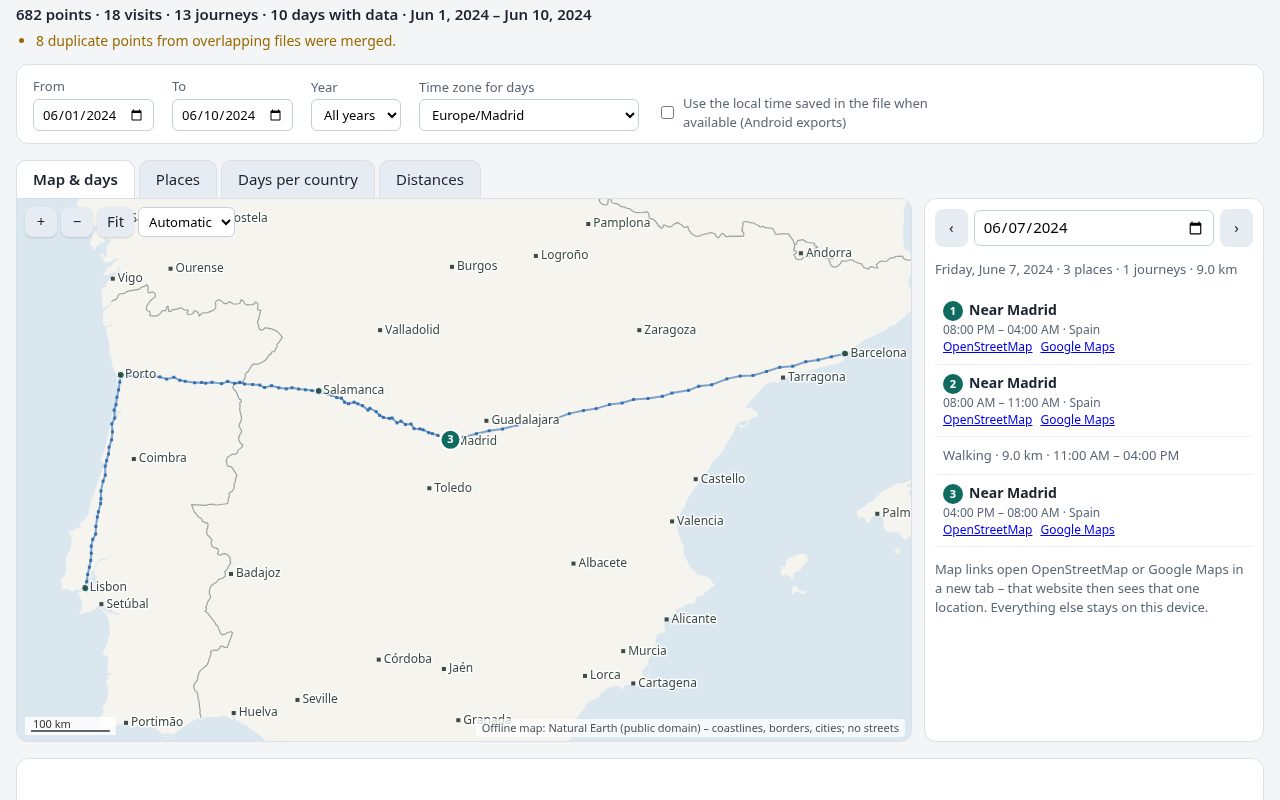
What Trackmere does
Every Google format
Reads the new on-device exports (Android Timeline.json, iPhone location-history.json) and the older Google Takeout files (Records.json, monthly Semantic Location History), even the whole takeout-….zip. Also GPX, KML and CSV tracks.
A map that needs no internet
The world map (coastlines, borders, cities) is built into the app, so your history is drawn without loading map tiles from any server. Heatmap for years of data, paths for a single day.
Day by day
Step through your days: where you stayed, how long, and how you travelled between places. Visits from Records.json-only history are detected from your points and marked as estimated.
Days per country
How many days you spent in each country, the country you were in at 3 a.m. each night, and which days have no data – for a year, a tax year or any date range. Print it or save it as PDF.
Merge phones and years
Open an old Takeout export and new phone exports together. Overlapping points and visits are merged, so each moment counts once.
Export what you need
Excel workbook (countries, days, timeline, places), timeline CSV, all-points CSV, GPX for GPS apps, KML for Google Earth, and GeoJSON.
How it works
- Export your Timeline: on Android in Settings → Location → Timeline, on iPhone in Google Maps → Settings → Location & privacy (see step-by-step). Older history: your Google Takeout zip.
- Open Trackmere and choose the file(s).
- Browse the map, your days, places and countries.
- Export to Excel, CSV, GPX or KML, or print the days-per-country report.
Trackmere only reads your file – it never changes it, and it cannot change anything in your Google account.
Guides
Good to know before you start
- Trackmere shows what is in your export. It cannot recover history that Google deleted or that was never saved, and it does not connect to your Google account.
- Android exports contain coordinates and Google place IDs, but no place names or addresses. Trackmere shows Home/Work labels and the nearest city instead; older Takeout files and KML exports do include names.
- The built-in map is deliberately simple: coastlines, borders, lakes and cities, with no streets. Click “OpenStreetMap” next to a place to see it on a street map (that opens a website, which then sees that location).
- Borders are simplified (roughly 100–300 m). Days right on a border may be counted for the neighbouring country, so check those days.
- The days-per-country report is evidence from your own data, not tax, immigration or legal advice.
- Only open location history that is yours, or that you are allowed to access.
Questions and answers
Is my location history uploaded anywhere?
No. Trackmere runs in your browser. The app page has a Content Security Policy that blocks all network connections, the map is built in, and it keeps working with Wi-Fi off once loaded. See the privacy page.
What does the free version do?
Opening files, the map, the day-by-day timeline, places, distances and days per country are free with no limit. Each export or printed report includes the 31 most recent days with data in your selection, so you can check the result. A one-time $12 license exports everything.
Which files can Trackmere open?
Android Timeline.json (any name, e.g. in your phone’s language), iPhone location-history.json, Google Takeout Records.json and Semantic Location History (YYYY_MONTH.json), the takeout-….zip itself, and GPX, KML and CSV tracks.
Can it get my Timeline back from Google?
No. Trackmere reads files you already have. If your Timeline is only on your phone, export it from the phone first.
Is Trackmere made by Google?
No. Trackmere is an independent tool and is not affiliated with Google.